Skip to content
concrete-1840731_1920

Quick Start Guide Concrete Calibration

Disclaimer:  The user is required to observe and adhere to the currently applicable instruction manuals for all Vemaventuri products utilized.


01 Preparation


What you need:

  • Time: Minimum 28 days (or until design strength is reached)
  • Concrete: Same mix used on site
  • Samples: 5–15 cubes/cylinders (e.g., 150×150×150 mm cubes)
  • Temperature monitoring solution: e.g. TEMO from Vemaventuri


Step 1: Cast your sample cubes/cylinders

  • Use your site mix to cast 5–15 cubes/cylinders
  • Follow local standards (e.g., ASTM C1074, DIN EN 12390-2)
  • Label samples with casting dates
  • Place a sensor in the center of at least one cube or cylinder. Use the last sample to be crushed for sensor placement.


Note: More samples = better average and lower variance


Step 2: Cure your samples

  • Store samples according to local curing standards
  • Example: 20°C water bath (DIN EN 12390-2)

02 WebApp


Step 3: Create a new calibration 

  • Open the web app and expand the side menu in the top-left corner.

  • Navigate to Concrete → Concrete Calibration.

  • In this section, you can:

    • view all existing calibrations

    • select and edit calibrations

    • export calibrations

    • create new calibrations
  • Click “Create New Concrete Calibration” to set up a new calibration.


Step 4: Enter Basic & Concrete Information

  • You can freely choose the Custom Concrete ID to uniquely identify your mix.
  • Provide details such as the testing laboratory, compressive strength class, calibration type, description, and contact information.
  • Enter the concrete-specific data, including the date when water was added, test body size, storage conditions, water and cement content, concrete type, and cement brand.
  • Ensure all information is accurate before proceeding, as it forms the basis of the calibration.


Step 6: Select temperature channels 

  • Select the date and time when the temperature measurement started
  • Add temperature channel


Step 6: Pre-save the Calibration

  • Before the first cube is crushed, click “Save” to store the calibration setup
  • This allows you to return later and add crush test results as they become available
  • Do not finalize the calibration yet—only pre-save it until the crush tests have been performed.

03 Crushing


Step 8: Crush the Samples

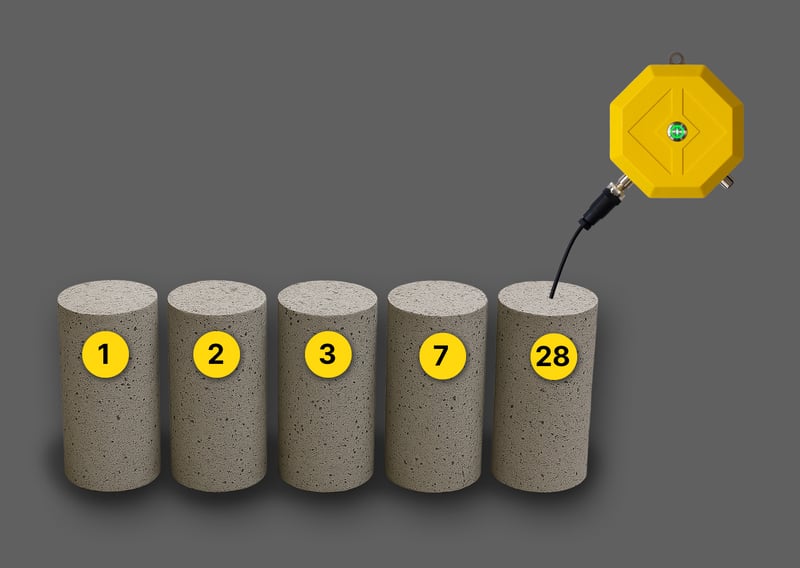
  • Crush samples in intervals
  • Typical interval: 1, 2, 3, 7 and 28 days
  • Record time of crushing and the compressive strength (MPa)

cylinders

Step 9: Document in the Web App

  • After each crush test, enter the sample’s date, time, strength (MPa), and sensor data into the web app
  • Continue recording every test day until all cubes/cylinders have been crushed
  • Once all data is complete, enter a Recipe name, Select a catalog and enter the final strenght after 28 days.
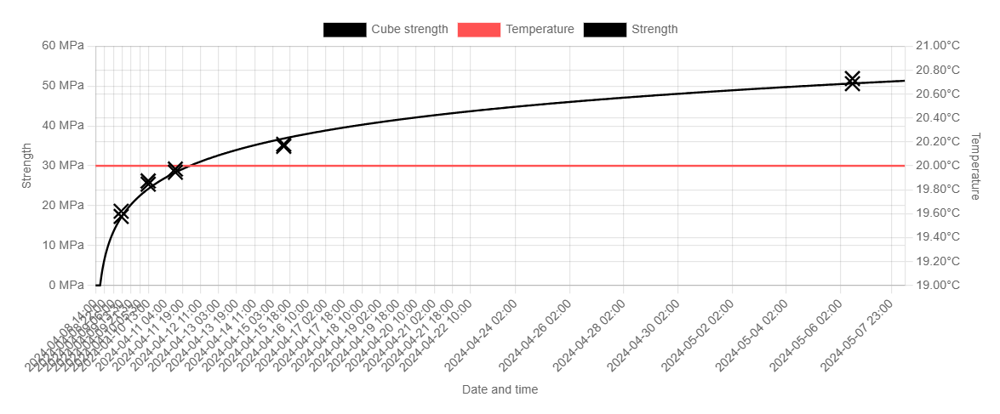
  • Select “Calibrate” to generate the final maturity-strength curve.
 
 calibration result