


Quick Start Guide Reports
Disclaimer: The user is required to observe and adhere to the currently applicable instruction manuals for all Vemaventuri products utilized.
What you need:
- Access to the Vemaventuri Webapplication (https://insite.peri.app/) with a project, dashboard, section and widget with active or terminated measurement
Step 1:
- Navigate to your project
- Click on "Reports" in the left navigation menu on your project home page
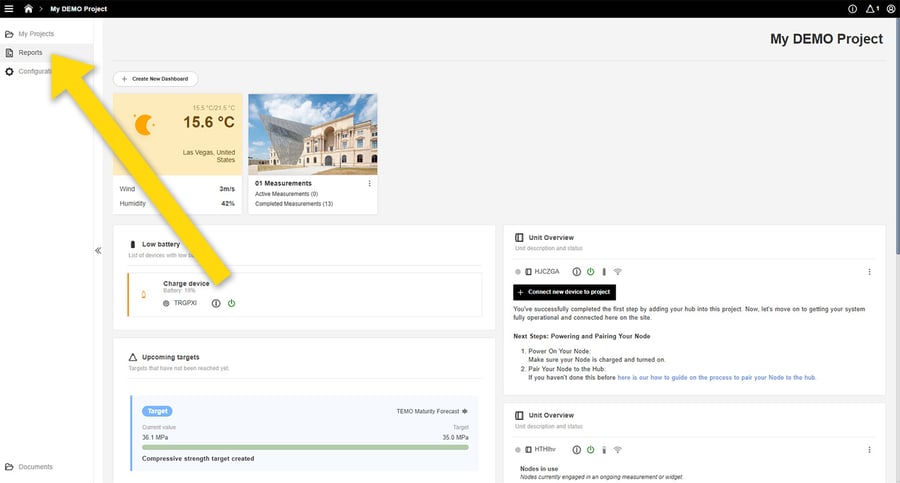
Step 2:
- Click on "Create new report"
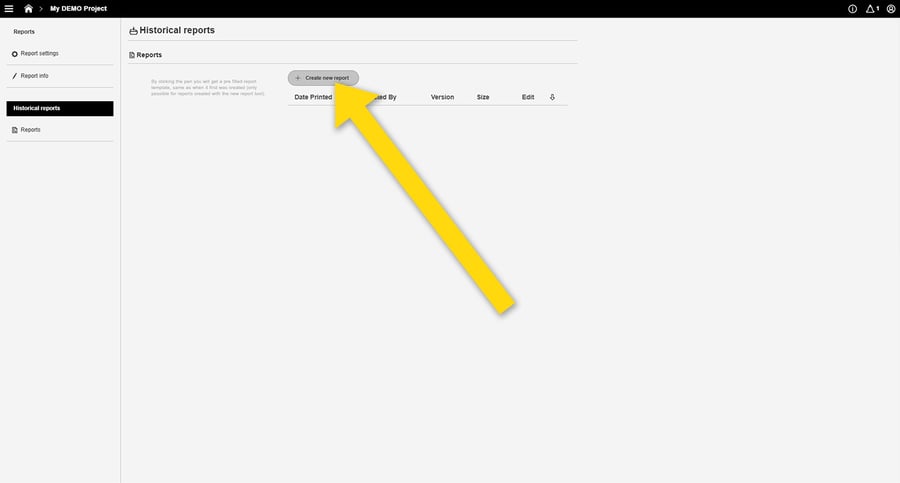
Step 3:
-
Change general report settings if needed.
-
Choose dashboard in the dropdown menu. (It is now possible to use widgets from different dashboards in the same report).
-
Press + to add to the report.
-
When added, it's possible to change order by drag and drop.
-
Press "Create report"
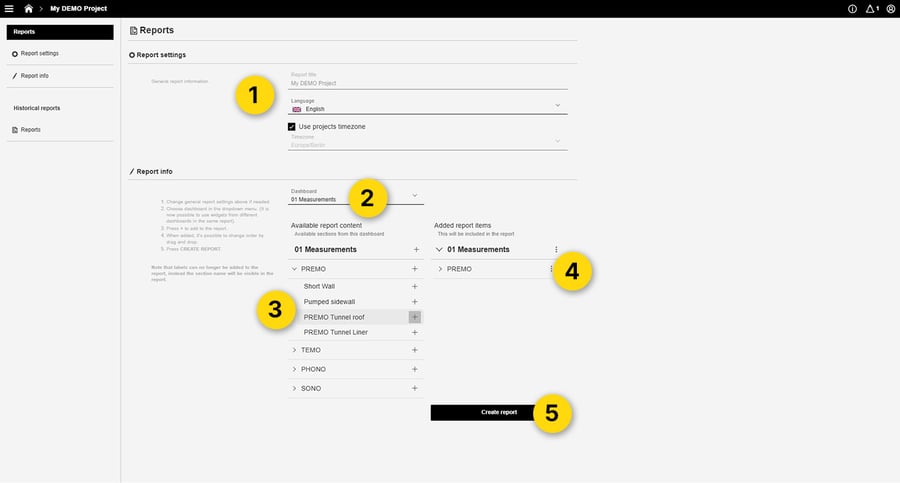
Step 4:
-
Click on the download icon to download your report
